How to limit the number of available check-ins?
A guide to limiting the number of available check-ins per ticket type — useful for multi-day passes (e.g. 3 check-ins allowed = one per day), for paid re-entry workflows, or for events where each ticket has a specific entry quota.
Although we have explained this thoroughly in our documentation about creating and editing ticket types here and here, we understand that you might have oversaw this feature and are worried that all the tickets can be checked-in unlimited number of times which wouldn’t be very convenient, right?
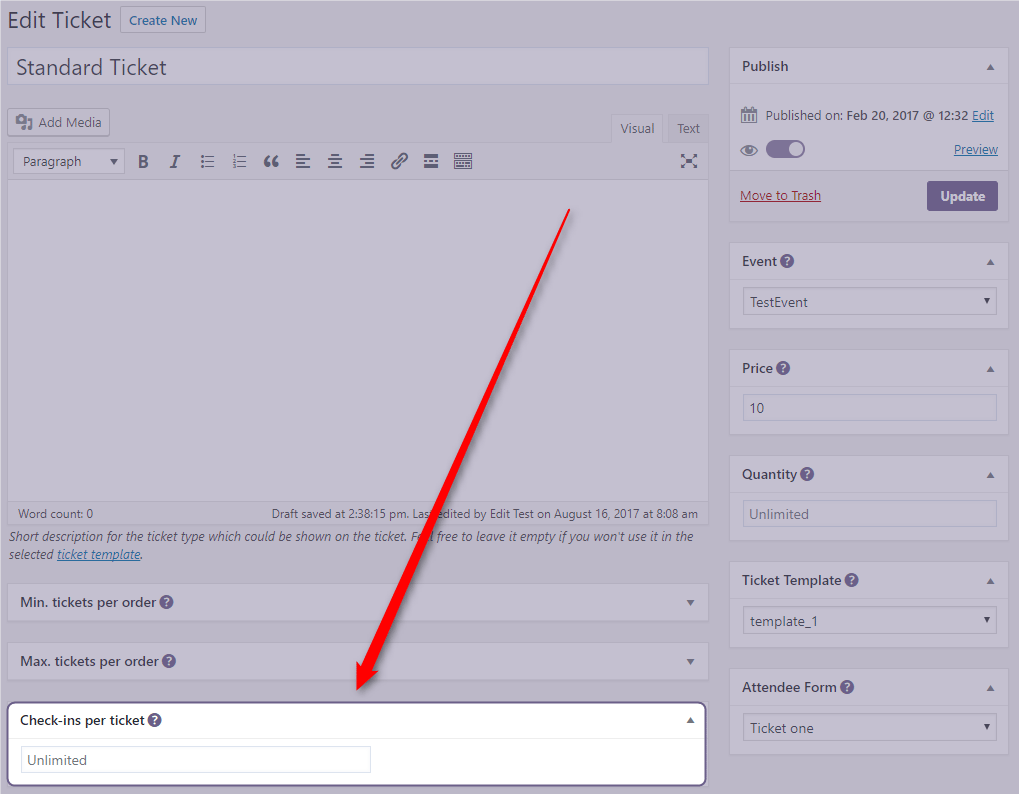
The limit of available check-ins is set per ticket ticket type, which means that this option is available when creating new or editing existing ticket type. In the screenshots below, you can see that there is a field named Check-ins per ticket where you should enter the number of available check-ins for that ticket type:
…or if you are creating ticket types as WooCommerce products (by utilizing Bridge for WooCommerce add-on):
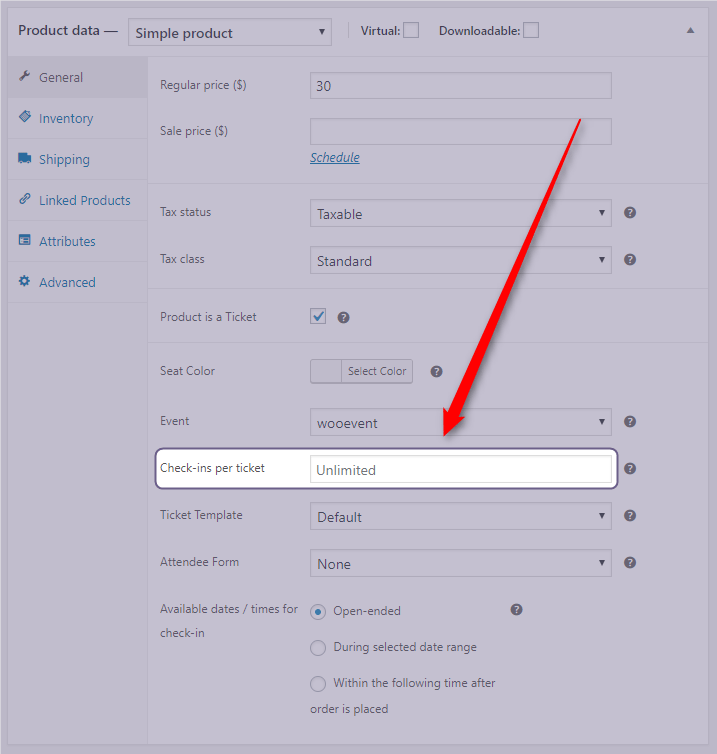
By default, the value is set to unlimited but if you enter any number to this field, the check-in limit will match that number. So, if you set this number to, say, 1 (one) and the ticket of that type has been checked in once, if you attempt to check it in again, Check-in app will throw an error.
Related
- Ticket types
- Set available date/time for ticket check-in
- Check-in availability ticket template element
Was this article helpful?
Yes — great. No or partially? Tell us what was missing — we read every message and use it to improve these docs.